Best Digital Banking Tools for Canadian Businesses in 2026
The best digital banking tools for Canadian businesses depend on the financial task. Most companies need a connected finance stack that includes a business operating account, accounting software, secure payment controls and tools for expenses or payroll. Businesses operating internationally may also need global payments, foreign exchange support and a multi-currency account.
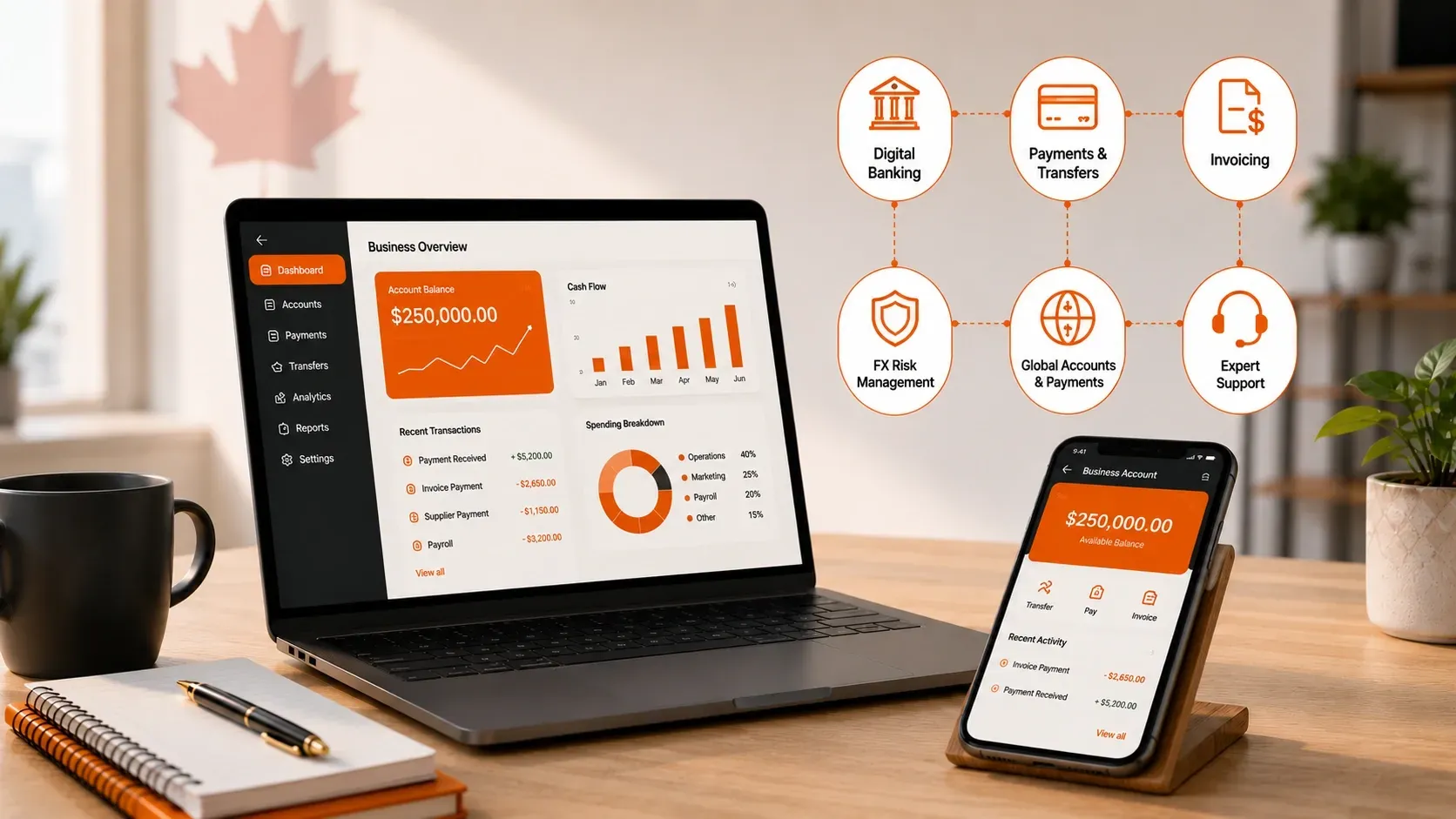
The best digital banking setup for a Canadian business is rarely a single platform. Most companies need a connected group of tools for everyday banking, international payments, accounting, employee spending, invoice approvals, payroll and financial reporting. The right combination depends on how money enters the business, where payments are sent and how much control the finance team needs.
A local retailer may only need a Canadian business account, accounting software and corporate cards. An importer paying suppliers in several countries may also require a multi-currency account, competitive foreign exchange rates, payment approvals and tools for tracking overseas transactions.
MTFX supports Canadian businesses that operate across borders. Established in 1996, MTFX helps companies make international payments, manage foreign currencies, process bulk transactions and access specialist FX support without replacing the domestic banking and accounting systems they already use.
What are the best digital banking tools for Canadian businesses?
The best tools are those that solve a specific financial problem without creating unnecessary cost or complexity. Instead of looking for one platform that claims to do everything, businesses should build a finance stack in which each tool has a clear role.
A practical setup normally includes an operating account, accounting software and secure payment controls. Businesses with overseas suppliers, foreign customers or global teams may also need global payment capabilities, foreign-currency accounts and automated payment workflows.
The examples above are starting points rather than universal recommendations. Product features, prices and eligibility requirements can change, so businesses should confirm current information directly with each provider before opening an account or moving a financial process.
How we evaluated digital banking and finance tools
A credible comparison should look beyond attractive dashboards and advertised monthly fees. The most useful tool is the one that fits the company’s transaction patterns, approval structure, reporting requirements and plans for growth.
The main evaluation criteria include:
- Availability to Canadian businesses.
- Monthly, transaction and implementation costs.
- Supported currencies and destination countries.
- Foreign exchange pricing and conversion options.
- Domestic and international payment methods.
- Accounting, ERP and payroll integrations.
- User permissions and approval controls.
- Automation and reconciliation capabilities.
- Security and authentication features.
- Customer support and onboarding requirements.
- Provider status and fund-protection arrangements.
- Ability to scale across teams, entities and payment volumes.
A low monthly fee does not necessarily mean a tool is inexpensive to operate. Foreign exchange margins, wire charges, extra-user fees and manual reconciliation can cost more than the subscription itself.
What counts as a digital banking tool?
A digital banking tool is an online platform that helps a business store, move, record, control or analyze money. The term covers more than mobile access to a traditional bank account.
Common digital finance tools include:
- Online business accounts.
- International payment platforms.
- Foreign exchange tools.
- Multi-currency accounts.
- Corporate cards.
- Expense-management systems.
- Accounts payable and receivable automation.
- Cloud accounting software.
- Payroll platforms.
- Treasury and cash-flow tools.
This broader definition matters because a financial platform may look like a bank without being a bank. Businesses should understand who holds their funds, which organization processes their payments and which regulatory framework applies.
Bank vs fintech vs international payment provider
Most fintech companies are not banks or members of the Canada Deposit Insurance Corporation. CDIC explains that eligible deposits may still be protected when a fintech holds them through a CDIC member institution, but the protection depends on how the arrangement and customer records are structured.
Businesses should review the CDIC guidance for fintech customers before assuming that funds are covered. Those who provide foreign exchange or money-transfer services may need to register as money services businesses. The FINTRAC Money Services Business Registry can be used to verify registration. FINTRAC also makes clear that registration is not an endorsement or a licence from the agency.
Before finalizing your finance stack, compare each provider’s fees, payment features and integrations. Choose a platform that lowers costs and gives your team better control.
| Field | Value |
|---|---|
Amount Payable (USD) 50,000 | |
Bank Exchange Rate 1.4499 / 0.6897 | |
Total cost 72,492.93CAD |
| Field | Value |
|---|---|
Amount Payable (USD) 50,000 | |
MTFX Exchange Rate 1.4250 / 0.7018 | |
Total cost 71,249.18CAD |
You Save
CAD 1,243.75
with MTFX
6 October 2026
We use mid-market rates. This is for informational purposes only. Log in to view send rates.
Business accounts for everyday financial operations
A business operating account remains the foundation of most finance stacks. Companies use it to receive domestic revenue, pay bills, fund payroll, remit taxes and keep company transactions separate from personal finances.
Traditional Canadian banks may be a better fit when a business needs:
- Cash or cheque deposits.
- Branch access.
- Commercial loans or credit facilities.
- Merchant services.
- Several accounts under one banking relationship.
- Advice connected with borrowing or investment products.
Digital business platforms may appeal to companies that prioritize online onboarding, virtual cards, software integrations, simplified permissions and fewer branch-based processes.
The right choice depends on how the company operates. A restaurant handling cash has different needs from a software company that receives electronic payments.
Businesses comparing options should review the MTFX guide to choosing a business bank account for global transactions rather than selecting an account only because it advertises free transfers.
International payment and foreign exchange platforms
An international payment platform helps a company convert currencies and send funds to suppliers, contractors, employees, customers or related businesses in other countries.
This category becomes important once cross-border payments move from occasional transactions to a normal operating expense. A bank’s outgoing wire fee is only one part of the cost. The exchange rate, FX margin, intermediary charges, recipient deductions and time required to arrange each payment can have a larger effect on the final amount.
A business-focused platform should help finance teams:
- Compare foreign exchange rates.
- Pay beneficiaries in the requested currency.
- Store and reuse verified recipient details.
- Schedule upcoming transactions.
- Track payment progress.
- Process recurring or batch payments.
- Separate payment creation from approval.
- Access currency-risk tools when future costs are uncertain.
MTFX provides international business money transfers and global payment services in more than 50 currencies across more than 190 countries. Businesses can also access dedicated support for managing regular supplier, contractor and intercompany transactions.
When an international payment specialist becomes useful
A specialist provider may add value when:
- The business pays several overseas suppliers.
- Small exchange-rate differences have a meaningful effect on margins.
- Vendors request payment in their local currencies.
- Currency conversions occur every week or month.
- The finance team needs clearer payment tracking.
- Employees spend too much time arranging individual bank wires.
- Exchange-rate volatility makes budgeting difficult.
The most useful comparison is not simply the transfer fee. Businesses should calculate how much foreign currency the recipient receives after the exchange rate, FX margin and possible bank deductions are considered.
Companies can review live exchange rates before planning a payment and set currency rate alerts to monitor a target level without checking the market throughout the day.
Monitor live exchange rates before making your next international business payment.
| Currency | Rates | High | Low | Daily |
|---|---|---|---|---|
 USD | 1.4214 | 1.4214 | 1.4202 | 0.05% |
 EUR | 1.5990 | 1.6000 | 1.5983 | -0.03% |
 INR | 67.78 | 67.82 | 67.78 | -0.06% |
 GBP | 1.8851 | 1.8860 | 1.8838 | -0.02% |
 CNY | 4.7166 | 4.7304 | 4.7019 | 0.27% |
 JPY | 111.48 | 111.53 | 111.22 | 0.20% |
 MXN | 12.65 | 12.65 | 12.64 | 0.03% |
Reduce FX costs with competitive exchange rates and secure transfers from MTFX.
Multi-currency accounts for receiving and holding foreign currencies
A multi-currency account lets a business manage several currencies without converting every receipt or payment immediately.
Instead of automatically converting incoming funds to Canadian dollars, the business may be able to hold the foreign currency and use it for future expenses in the same currency.
This can provide several benefits:
- Fewer unnecessary currency conversions.
- Greater control over conversion timing.
- Clear separation of foreign-currency balances.
- Simpler reconciliation of international revenue and expenses.
- Better matching of foreign-currency income with costs.
- Less pressure to convert funds on the day an invoice is due.
MTFX offers a multi-currency account through which eligible businesses can hold, send and receive more than 50 currencies. It can also support companies that need to receive international business payments or collect revenue from overseas customers.
Before opening any multi-currency account, confirm:
- Which currencies can be held.
- Which currencies are available only for conversion.
- Whether local receiving details are available.
- Incoming and outgoing payment fees.
- Foreign exchange pricing.
- Deposit and withdrawal limits.
- The legal structure under which funds are held.
- How the account integrates with the accounting system.
A multi-currency account is most useful when it solves a recurring currency problem. The MTFX guide on when a business needs a multi-currency account explains the practical situations in which maintaining foreign-currency balances may improve cash flow.
Accounts payable and payment automation tools
Accounts payable automation replaces scattered email chains, spreadsheets and paper approvals with a structured digital process.
A typical AP workflow includes receiving an invoice, checking the details, obtaining authorization, scheduling payment and updating the accounting records. When those steps happen in separate systems, invoices can be duplicated, overlooked or paid without the correct approval.
Accounts payable automation can help a finance team:
- Centralize supplier invoices.
- Route payments to the correct approvers.
- Apply approval limits.
- Schedule one-time or recurring transactions.
- Maintain an audit trail.
- Reduce duplicate data entry.
- Reconcile completed payments.
- Monitor upcoming obligations.
- Improve supplier-payment visibility.
When AP automation becomes worthwhile
A company should consider moving beyond manual approvals when:
- Invoice volume is increasing.
- Several people approve payments.
- Suppliers regularly ask for payment updates.
- Supporting documents are difficult to locate.
- Staff enter the same information in several systems.
- Payments are frequently delayed.
- The company manages multiple entities or locations.
- Month-end reconciliation takes too long.
Automation does not remove financial controls. It makes those controls easier to apply consistently. Businesses exploring the category can also review the benefits of AP automation for finance teams.
Corporate cards and expense-management platforms
A corporate card solves only the payment part of employee spending. The surrounding expense system determines how easily the finance team can issue cards, apply limits, collect receipts and reconcile transactions.
Expense-management platforms such as Float can help businesses manage:
- Software subscriptions.
- Business travel.
- Advertising expenses.
- Department budgets.
- Employee reimbursements.
- Online purchases.
- Vendor-specific cards.
- Recurring operational costs.
Companies that spend in foreign currencies should also check the exchange rate and foreign transaction costs applied to card purchases. A card with no monthly fee can still become expensive when employees use it regularly outside Canada.
Accounting and cash-flow management software
Accounting software is the central record of what the business earns, spends, owns and owes. It should connect with the company’s banking, payment and expense platforms rather than require staff to recreate the same transaction manually.
Cloud accounting tools such as QuickBooks and Xero can support:
- Income and expense tracking.
- Customer invoicing.
- Bank feeds.
- Financial reporting.
- Budgeting.
- Cash-flow monitoring.
- Multi-currency accounting on eligible plans.
- Connections with payroll, AP and expense tools.
The choice of accounting platform should reflect:
- The accountant or bookkeeper’s experience.
- Required software integrations.
- Number of users.
- Inventory requirements.
- Project accounting needs.
- Foreign-currency reporting.
- Approval controls.
- Support for multiple entities.
An accounting system should not become a delayed copy of what happened elsewhere. Payments, invoices and expenses should flow into the ledger with enough detail to reconcile them quickly.
Payroll and contractor-payment tools
Payroll tools calculate employee earnings, deductions and employer obligations. They also create payroll records and help companies complete required remittances and year-end reporting.
Canadian payroll systems such as Wagepoint may be appropriate for domestic employees, while businesses paying people in several countries may need additional global workforce payment tools.
Canadian employee payroll
A Canadian payroll platform should help manage:
- Gross and net pay calculations.
- Income tax and statutory deductions.
- Employer contributions.
- Direct deposits.
- Records of Employment.
- T4 and T4A preparation.
- Payroll records and reporting.
International contractor and workforce payments
Businesses paying international contractors or remote teams may need:
- Bulk payment uploads.
- Several payment currencies.
- Recipient validation.
- Approval records.
- Payment tracking.
- Reusable beneficiary details.
- Accounting reconciliation.
Payment software does not determine whether a worker is legally an employee or an independent contractor. Businesses remain responsible for reviewing the applicable employment and tax requirements.
For a closer look at the payment process, see the guide on paying remote employees and contractors overseas.
What digital banking costs should businesses compare?
The cheapest-looking platform is not always the least expensive to operate. A proper cost review should include direct fees and the time employees spend moving data, fixing errors and reconciling transactions.
The cost of manual work is easy to overlook because it does not appear on a provider invoice. An inexpensive platform can become costly when employees spend hours exporting files, correcting payment references or searching for approval records.
How to choose the right digital banking stack
- Map how money enters and leaves the business. List customer receipts, supplier payments, payroll, tax payments, subscriptions, card spending, refunds and intercompany transfers. Record the currencies, countries, frequency and typical values.
- Separate domestic and international requirements. Domestic banking may prioritize deposits, lending and Interac e-Transfer. International activity requires closer attention to FX rates, beneficiary information, payment routes and foreign-currency reconciliation.
- Identify the most expensive manual process. Start with the area creating the greatest cost, error rate or delay. Do not add software merely because a feature looks useful.
- Calculate the full operating cost. Compare subscriptions, transfer fees, FX margins, card charges, user fees, integrations and implementation costs.
- Check integration quality. Confirm that payment, expense and payroll data can reach the accounting platform without losing invoice numbers, references or approval details.
- Review currency and payment coverage. A tool may support a currency for conversion but not for holding or receiving. Verify every required transaction type.
- Test permissions and approvals. Review who can create, edit, approve and release a payment. High-value transactions may require separate user roles.
- Verify provider and protection details. Check the provider’s legal status, relevant registrations, banking partners and fund-protection arrangements.
- Run a controlled trial. Test the system with a small number of transactions before transferring an entire workflow. Include customer support and reconciliation in the test.
- Review the stack as the business grows. A setup that works for five employees may not suit a company with fifty. Reassess transaction volumes, approval layers and reporting needs regularly.
Security, compliance and fund protection
Digital financial tools increase speed, but faster access should not mean weaker controls. Businesses should assess both the provider’s safeguards and their own payment procedures.
Important controls include:
- Multi-factor authentication.
- Role-based access.
- Dual payment approval.
- Transaction limits.
- Beneficiary verification.
- Audit logs.
- Encryption.
- Fraud monitoring.
- Alerts for account changes.
- Immediate removal of former employees.
- Independent confirmation of supplier banking changes.
- Regular access reviews.
- A documented incident-response process.
Payment fraud often exploits human processes rather than technical weaknesses. A professional-looking message requesting new supplier banking details can bypass a secure system when employees do not confirm the change through a trusted contact.
Businesses should also review the provider’s legal and regulatory information. MTFX is a Canadian-based money services business registered with FINTRAC. Further information is available on the MTFX Canadian regulatory and compliance page.
Recommended finance stacks by business type
Different operating models create different financial needs. The following examples show how businesses can combine tools without purchasing unnecessary software.
- Importers and exporters
An import or export business may need:
- A Canadian operating account.
- International supplier invoice payments.
- A multi-currency account.
- FX monitoring and currency-risk tools.
- Accounts payable automation.
- Cloud accounting.
The priority is connecting purchase orders, supplier invoices, currency conversion, payment approval and reconciliation. Companies with future foreign-currency commitments may also benefit from a documented FX risk-management strategy.
- E-commerce businesses
An e-commerce company may need:
- A business operating account.
- Marketplace and payment-gateway collections.
- Multi-currency receiving capabilities.
- Corporate cards.
- Expense management.
- Inventory-aware accounting software.
- Reconciliation across sales channels.
The central problem is often fragmented data rather than moving the payment itself. MTFX provides cross-border payment solutions for e-commerce businesses and tools for managing international marketplace revenue.
- Professional service firms
A consulting, legal or creative-services company may need:
- A low-friction operating account.
- Invoicing and accounting software.
- Expense cards.
- International customer collections.
- Overseas contractor payments.
- Project-level reporting.
These businesses benefit from tools that connect expenses and contractor costs to the correct client, project or department.
- Businesses with global teams
A company paying workers across several countries may require:
- Canadian payroll software for domestic employees.
- A global workforce payment platform.
- Bulk payment capabilities.
- Multi-currency management.
- Approval controls.
- Contractor-level payment records.
- Accounting reconciliation.
The payment process should be repeatable without allowing changes to recipient details or payment amounts to bypass approval.
- Growing finance teams
A larger finance department may need:
- Multi-entity account visibility.
- AP and accounts receivable automation.
- Treasury tools.
- Segregated user permissions.
- Bulk payments.
- Cash-flow forecasting.
- FX risk management.
- ERP integration.
At this stage, control, data quality and auditability may matter more than selecting the platform with the lowest monthly subscription.
How MTFX fits into a Canadian business finance stack
MTFX complements a Canadian operating account by supporting the international payment and foreign exchange side of the business. It is most relevant to companies that pay or receive funds across borders, manage several currencies or need better control over recurring global transactions.
Canadian businesses can use MTFX for:
- International supplier and vendor payments.
- Sending and receiving funds in multiple currencies.
- Bulk payments to contractors, employees and other beneficiaries.
- Multi-currency account capabilities.
- Foreign exchange monitoring and specialist support.
- Business payment automation.
- Treasury and currency-risk solutions.
MTFX has supported international payments since 1996 and currently provides access to more than 50 currencies across more than 190 countries. Businesses can review the steps for opening an MTFX business account before beginning the onboarding process.


Choose MTFX for sending international business payments
The best digital banking tools are not necessarily those with the longest feature lists. They are the tools that remove a specific financial bottleneck without creating new gaps in security, visibility or reconciliation.
Start with a reliable operating account and accounting system, then add specialist platforms where the business has a defined need. International payments, multi-currency accounts, expense controls, AP automation and payroll should work as connected parts of one financial process rather than isolated subscriptions.
MTFX global payment solutions can help Canadian companies manage cross-border payments and foreign exchange while keeping their existing domestic banking and accounting systems in place. Register with MTFX and get exclusive exhange rates for sending international business payemnts.
FAQs
1. What are digital banking tools for businesses?
Digital banking tools are online platforms that help businesses manage accounts, payments, currencies, cards, expenses, invoices, payroll or financial reporting.
2. What is the best digital banking tool for a Canadian small business?
The best tool depends on the financial task. Most small businesses need an operating account and accounting software first, followed by payment, expense, payroll or automation tools as their operations become more complex.
3. Is a fintech platform the same as a bank?
No. A fintech uses technology to provide financial services, but it may not hold a banking licence or operate as a CDIC member institution.
4. Are funds held with a fintech protected by CDIC?
Protection depends on how and where the fintech holds customer funds. Eligible deposits may be protected when they are properly held at a CDIC member institution under a qualifying arrangement.
5. Do businesses need more than one financial platform?
Many businesses do. One provider may handle everyday banking, while separate tools manage international payments, accounting, corporate cards, payroll or payment automation.
6. What is a multi-currency business account?
A multi-currency business account allows a company to hold, receive, send or convert more than one currency through the same platform.
7. How can digital tools reduce international payment costs?
Digital tools can make FX pricing easier to compare, reduce manual processing, support local-currency payments and prevent unnecessary currency conversions.
8. Which integrations should a digital finance platform support?
Useful integrations commonly include accounting software, ERP systems, expense management, payroll, invoicing and international payment platforms.
9. How secure are digital banking tools?
Security depends on the provider and the company’s internal controls. Businesses should use multi-factor authentication, payment approvals, access limits and independent beneficiary verification.
10. Can international supplier payments be automated?
Yes. Businesses can schedule recurring transfers, upload payment batches, create approval workflows and connect payment records with their accounting systems.